Your Cloud Neighbor Is Wrecking Your App — And Your Host Isn't Going to Tell You
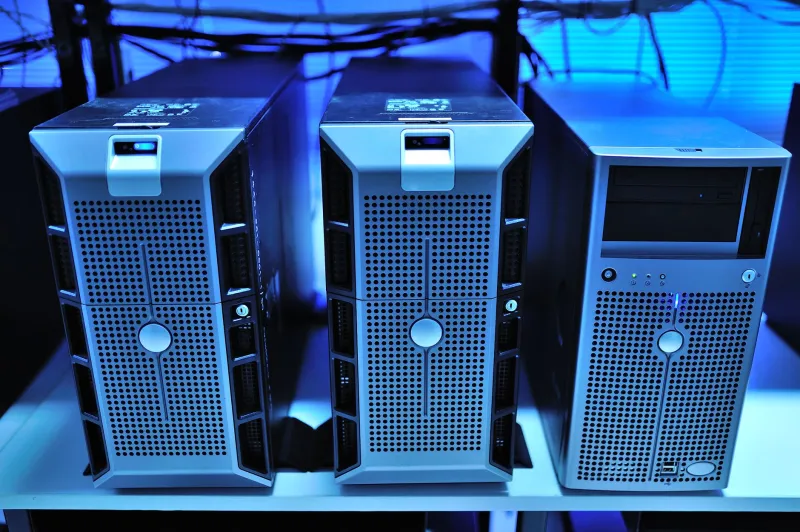
You've tuned your queries. You've profiled your code. Your staging environment runs beautifully. But in production, response times spike randomly, your memory usage creeps up, and nothing in your logs explains why. Sound familiar?
There's a decent chance the culprit isn't your code at all. It's whoever is running workloads on the same physical hardware as you.
This is the noisy neighbor problem — one of the most underdiagnosed sources of performance degradation in shared hosting and multi-tenant cloud environments. Hosts rarely volunteer this information, and most monitoring dashboards are deliberately scoped to hide it from you.
What's Actually Happening Under the Hood
Whether you're on a shared hosting plan or a cloud VPS, you're almost certainly sharing physical resources with other customers. Virtualization layers — hypervisors like KVM, Xen, or VMware — are supposed to isolate your workload from theirs. And they do, mostly. But isolation isn't the same as insulation.
Here's where it breaks down:
CPU steal time is the clearest signal. When another tenant's process is demanding CPU cycles, the hypervisor has to schedule access. Your VM waits. That wait time shows up as CPU steal — a metric your host's dashboard might not even surface by default. On Linux, you can see it yourself with top or vmstat. Look for the st column. Anything above 5% consistently is a red flag.
Disk I/O contention is sneakier. Shared storage pools — common in cloud environments using distributed block storage — can get saturated when a neighbor runs a database backup or a bulk file operation. Your read/write latency spikes. Your app slows. You have no idea why.
Network bandwidth throttling happens too. Many providers oversell bandwidth at the physical switch level, betting that tenants won't all burst at once. When they do, everyone gets squeezed.
Memory pressure is the least obvious. On hosts that use memory ballooning or swap aggressively, a neighbor pushing its memory limits can force the hypervisor to reclaim pages from your VM, triggering your own swap usage even when your app isn't misbehaving.
Real-World Detection: What to Actually Look For
You can't see your neighbor's workload, but you can see the effects. Here's a practical detection approach:
Start with CPU steal time monitoring. If you're on a Linux VPS, add sar or vmstat to your monitoring stack and track steal time over 24–48 hour windows. Spikes that correlate with your performance degradation — but not with your own traffic — are a strong indicator of neighbor activity.
Next, run disk latency benchmarks at different times of day. Tools like fio or even a simple dd test can reveal whether your storage throughput varies wildly depending on when you run them. Consistent results at 3am but terrible results at 2pm? That's a shared resource problem.
For network, use iperf3 or a service like Speedtest CLI to track throughput at intervals. Document the variance. If you're seeing 40% drops in throughput during business hours with no changes on your end, the problem lives at the infrastructure layer.
Also watch your application's 99th percentile latency, not just averages. Noisy neighbor effects tend to show up in tail latency — the occasional slow request that averages out to something acceptable but absolutely murders user experience.
The Hosts That Make This Worse
Not all providers are equal here. Budget shared hosts are the worst offenders — they oversell aggressively and have almost no per-tenant resource enforcement. But even some mid-tier cloud providers use "burstable" instance types (AWS T-series, for example) that explicitly let neighbors affect your CPU allocation once credits run out.
The marketing language around these instance types is careful. "Baseline performance" sounds fine until you realize that baseline might be 10–20% of the CPU you think you're getting. Read the fine print on any burstable compute tier before you commit production workloads to it.
Dedicated hosts and bare metal providers don't have this problem by definition — but they come with their own tradeoffs in cost and flexibility.
What You Can Actually Do About It
Switch instance types first. If you're on a burstable compute tier, move to a fixed-performance instance. On AWS, that means moving from T3 to M5 or C5. On DigitalOcean, it means moving from Basic to Regular or Premium droplets. The price difference is often smaller than you'd expect, and the performance consistency is dramatically better.
Request a host migration. Seriously — contact support and ask to be moved to a different physical host. Most providers can do this with minimal downtime. You might get lucky and land in a less congested neighborhood. Some providers will do this without question if you can show them steal time metrics.
Upgrade your isolation level. If you're on shared hosting, move to a VPS. If you're on a VPS, consider dedicated resources or bare metal for your most latency-sensitive workloads. The HostLayer general rule: if your app's performance directly affects revenue, it deserves dedicated compute.
Use placement groups or dedicated hosts if you're deep in AWS or Azure. These options let you control physical placement explicitly, which is overkill for most workloads but genuinely valuable for latency-sensitive databases or real-time applications.
Build better observability. Add CPU steal time, disk latency, and network throughput to your dashboards — not just application-level metrics. You can't diagnose what you can't see. Tools like Datadog, Grafana with node_exporter, or even basic CloudWatch metrics can surface this data if you configure them to.
The Bottom Line
The noisy neighbor problem is real, it's common, and most hosts have zero incentive to bring it up. They've already sold you the plan. Your job is to instrument your environment well enough to detect when it's happening and know what levers you have to pull.
If your performance issues are intermittent, unexplained, and don't correlate with your own traffic patterns, start looking at steal time and disk latency before you spend another day profiling your application code. The problem might not be in your codebase at all — it might be in the apartment next door.